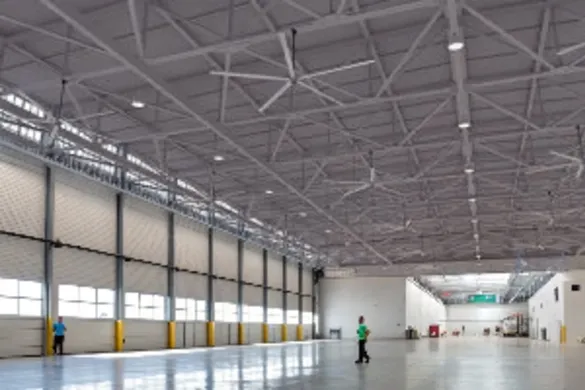
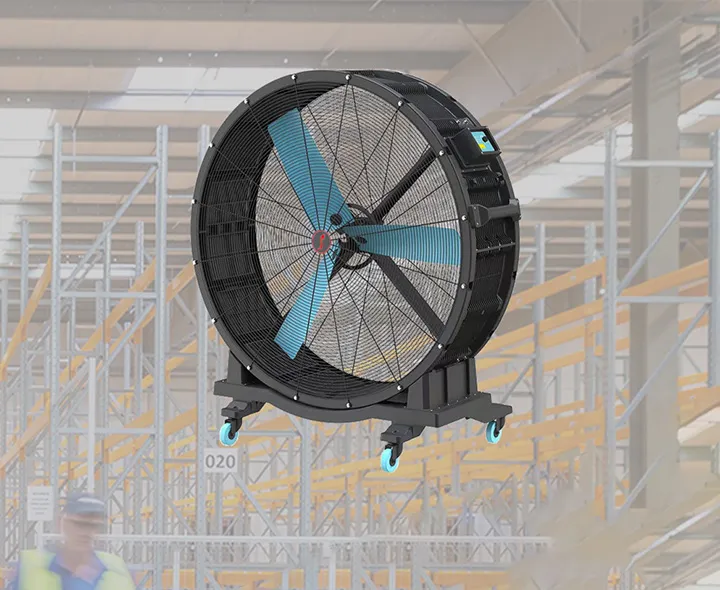
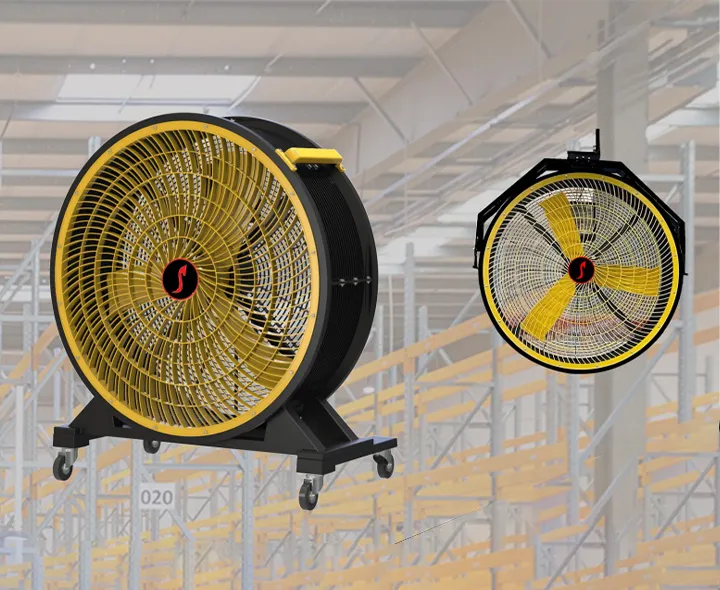
Most facilities buy big fans and then forget them. Dust builds up, bolts loosen, and small problems turn into noise, wobble, or stoppage. That risk grows in busy plants. The fix is simple: a short, repeatable plan that keeps the system safe and steady.
Yes. HVLS fans do require maintenance, but it is usually light and predictable: basic cleaning, simple checks, and scheduled inspections. When you follow a clear checklist, you protect airflow, lower risk, and keep energy savings consistent—especially in warehouses, factories, gyms, and other large buildings.
Outline
- Do HVLS fans really need maintenance if they’re built for “low maintenance”?
- What maintenance schedule works best for large spaces and busy facilities?
- How do you run a safe inspection from the top of the fan to the floor?
- Blade cleaning: how does dust change airflow and comfort?
- Guy wire checks: what “signs of wear” should you take seriously?
- Safety cable checks: what “good” looks like, and what’s dangerous?
- Inspect mounting hardware: how to catch loose bolts before they cause trouble?
- Electrical connections and the control box: what should you verify?
- Motor health, bearing noise, and repairs: when to act before downtime happens?
- Manufacturing Standards That Make Maintenance Easier
- FAQs: maintaining your HVLS fan in real buildings
Do HVLS fans really need maintenance if they’re built for “low maintenance”?
In our HVLS manufacturing plant, we design these systems for long service life, stable balance, and dependable operation. HVLS fans are designed to move high volume, low speed (volume low speed) air across wide areas, so you can improve comfort with less energy. That said, “low maintenance” never means “no maintenance.” Even a high-quality hvls unit will face dust, vibration, and building movement over time.
Here’s the honest way I explain it to facility teams: HVLS fans are typically reliable for years, but they still have maintenance requirements because they hang overhead, spin for long hours, and live in real-world environments (forklift traffic, humidity, grease, textile lint, and seasonal temperature swings). Think of it as minimal maintenance—small effort that prevents big surprises.
If you want a simple target: plan for regular maintenance that focuses on safety, cleanliness, and fast checks. That is what protects your investment and helps extend the lifespan of hvls without adding complexity.
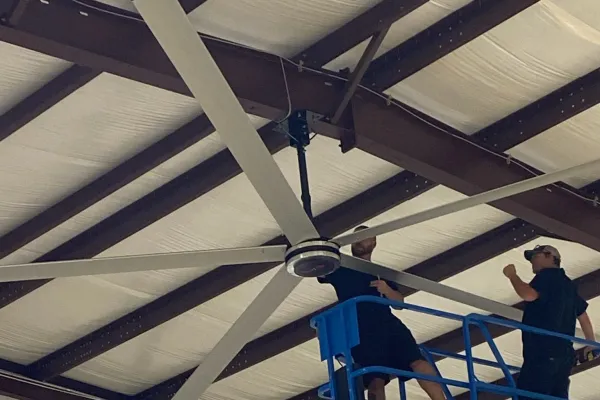
Do HVLS fans really need maintenance
What maintenance schedule works best for large spaces and busy facilities?
UN good maintenance schedule should match your space type, run hours, and dust level—not just a generic calendar. In our projects, the “sweet spot” usually blends quick monthly checks with deeper quarterly work. Many manufacturers publish their own maintenance recommendations for specific fan models, so always follow the manufacturer’s manual and torque specs for your specific fan.
Below is a practical schedule I’ve seen work well in warehouses, schools, gyms, and production areas. It balances safety, time, and staffing. It also supports routine maintenance without turning into a big maintenance event.
| Frequency |
What to do |
Typical time |
Why it matters |
| Monthly |
Quick walk-around + basic visual checks |
3–8 min |
Catch early movement, new vibration, or unusual noises |
| Quarterly service |
Clean heavy dust, check fasteners & cables |
30–60 min |
Prevent drift, reduce wobble risk, protect airflow |
| Annuel |
Full inspection + electrical verification |
60–120 min |
Confirm long-term safety and performance |
A key detail many teams miss: after fan installation, the first check matters more than people think. If this is a new fan, do an early check after the first weeks of operation (or at the interval recommended by the manufacturer) to confirm settling, tension, and torque are stable. That one habit can prevent costly repairs later.
How do you run a safe inspection from the top of the fan to the floor?
Before you inspect the fan, treat it like any overhead machine. Isolate power and control unexpected startup. OSHA’s lockout/tagout standard lays out the need for procedures to shut down and isolate hazardous energy during servicing.
A short reminder I often quote from an overhead fan checklist is: “Isolate power to the fan following lockout/tagout procedures.”
Now, do the inspection in a consistent order. Start at the top of the fan (mounting point and structure), then work downward to the hub and air movement area, and finally scan the floor zone for anything that could interfere with safe operation. This is where regular visual inspections help, because you notice what changed since last time.
Use a simple “3C method” that keeps it easy for any technician:
- Vérifier: look for movement, corrosion, oil marks, or anything out of place
- Compare: does it look the same as last month?
- Confirmer: confirm hardware and cables are secure before the fan operates again
Do this consistently and you will spot problems early without needing special tools.
Blade cleaning: how does dust change airflow and comfort?
Blade surfaces matter more than people expect. When dust, grease, or lint builds up, the blade profile changes and the fan may push less airflow, or it may push it unevenly. Over time, that can feel like “the fan isn’t doing much,” even though the motor is running.
In our factory testing, the lesson is simple: cleaning the blades is not cosmetic—it protects performance. Start with a safe method and the right access equipment. Avoid harsh chemicals that can damage finishes. For most sites, a microfiber wipe and mild cleaner works well. In food, textile, or woodworking areas, you may need frequent cleaning, but in cleaner commercial spaces, the same fans may require less frequent cleaning.
A quick visual “comfort chart” can help your team explain this to management:
- Clean surfaces → Airflow: ██████████
- Light dust → Airflow: ████████
- Heavy dust → Airflow: ██████
Also, check for dust on the pales de ventilateur near the hub and leading edges. If you see buildup, you’re not just losing airflow—you may also create imbalance over time.
Guy wire checks: what “signs of wear” should you take seriously?
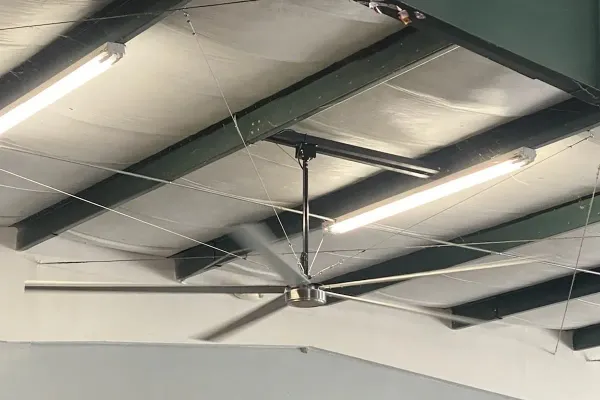
Not every installation uses a guy wire, but when it does, it is a key stability element. Properly installed guy wires reduce sway and help the system stay aligned during long operation cycles. Many manufacturer checklists call out cable condition clearly—look for fraying or damage and correct tension.
Here’s what I tell teams to watch for:
- fray at strands or near clamps
- uneven tension between lines
- corrosion or kinks
- turnbuckle movement that “walks” over time
These are classic signs of wear, and they should trigger action. If you see any of them, don’t guess. Document it, compare it next month, and correct it per the manual. This is one of the fastest ways to prevent safety hazards in high-traffic buildings.
When you need to explain the “why” to non-technical managers, say it like this: cables don’t fail suddenly without hints. They almost always show wear first.
what “signs of wear” should you take seriously?
Safety cable checks: what “good” looks like, and what’s dangerous?
A safety cable is your backup system. It’s not optional in many installations, and it should look “boringly correct” every time you check it. A common checklist standard is that the cable should be wrapped tightly around the structure, with as little slack as possible.
Here’s what “good” looks like:
- the safety cable is secure around the building structure
- hardware is tight and positioned correctly
- no cuts, corrosion, or looseness
- no rubbing points that could wear through over time
And here’s what needs immediate attention:
- slack that grows month to month
- visible damage, cracking, or metal fatigue marks
- any movement at attachment points during operation
This is where I like to add one line to the site’s fan care card: “Check safety cables every month; log any change.” Small habit, huge payoff.
Inspect mounting hardware: how to catch loose bolts before they cause trouble?
Mounting hardware is where “tiny looseness” can become big vibration. Your goal is to catch looseness early, not after people report wobble. Many manufacturer guides include bolt count and torque targets, so you should verify all fasteners are present and torqued to spec.
During a monthly walk-around, you can do a quick scan for:
- uneven gaps in brackets
- shifted alignment marks
- shiny rub points (movement indicator)
- loose bolts that back out or show fresh metal
At least once per quarter, do a hands-on check—especially around the fan mounting area. If you need to inspect mounting hardware more often, that’s usually a sign of a harsh environment (high vibration equipment nearby, temperature cycling, or structural movement).
One practical tip: take a photo after commissioning. Later, you can compare photos during inspection. It’s faster than guessing what “normal” looks like.
Electrical connections and the control box: what should you verify?
A lot of “fan problems” are actually controls problems. The fan may be fine, but the control box setting, wiring condition, or input power quality is not. When you check electrical connections, you’re looking for heat signs, looseness, or moisture entry—especially in humid gyms, washdown areas, or coastal sites.
Here’s a simple check list that most technicians can do safely (with proper isolation procedures):
- verify covers and seals are intact
- check for discoloration or smell (overheating clue)
- confirm cable routing stays away from sharp edges
- confirm control systems are operating as expected (speed change, start/stop behavior)
This is also how you protect your investment in energy savings. If the controls drift, the fan might run harder than needed, which can reduce energy efficiency and comfort. My favorite way to summarize it: ensure your fan runs the way you think it runs.
Motor health, bearing noise, and repairs: when to act before downtime happens?
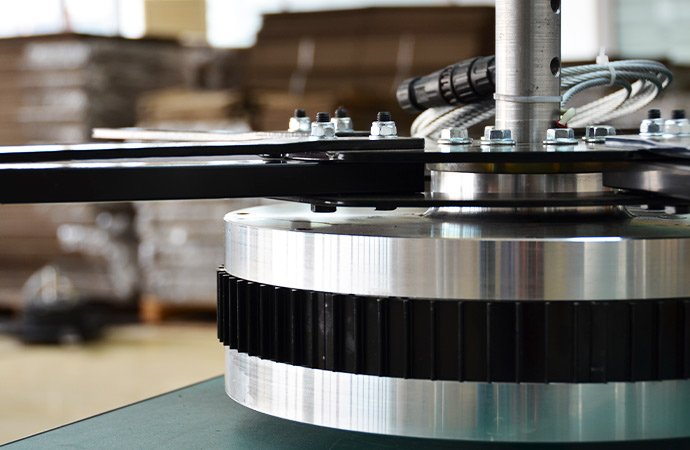
The motor is the heart of the system, and it usually gives you warnings before it fails. Listen for unusual noises, look for vibration changes, and watch for heat or leakage signs where your model has gearboxes or sealed components. Some maintenance checklists explicitly say not to return the fan to service if leakage or damage is found until repair is completed.
The bearing is another “early signal” component. If you hear a new whine, grinding, or ticking, treat it seriously. Most facilities can avoid costly repairs by acting early. The best path is simple:
- document the sound and when it happens
- compare it to prior months
- schedule repair before it becomes downtime
Here’s the real business reason: a fan failure in a warehouse, gym, or school doesn’t just remove comfort. It can affect air quality, worker focus, and even temperature-sensitive processes. One early fix is cheaper than two emergency visits later—and that’s how you avoid costly repairs while keeping the system safe.
moteur de ventilateur
Maintenance costs vs comfort and savings: what does the data say?
Facility teams often ask me a direct question: “Is maintenance worth it?” The practical answer is yes—because maintenance costs are small compared with the cost of shutdown, emergency work, or reduced performance. When proper maintenance keeps airflow consistent, you keep destratification benefits in winter and comfort benefits in summer.
On savings, several sources report meaningful reductions when large-diameter fans mix air properly. For example, a Plant Engineering article notes users can reduce heating bills by about 20–30% in winter when using an HVLS fan for destratification.
A University of Liverpool report for a heated warehouse model found percentage energy savings between 40% and 45% under specific warehouse height conditions (a modeling study tied to a MegaFan case).
Those numbers won’t match every building, but the direction is consistent: maintenance helps you protect the savings you expected.
Here’s a mini ROI way to explain it to leadership (simple, but effective):
- If a 60-minute quarterly check prevents one emergency callout or one day of comfort loss, it often pays for itself.
- If improved air circulation reduces HVAC load, you also support reducing energy costs over time.
This is also where I’ll say one time, plainly: an industrial fan that runs overhead in harsh environments needs planned care, not reactive fixes.
Case study (quick story from the field):
In one large industrial warehouse, the team reported “the air feels heavy” even though fans were running. We found dust buildup on blades and slight cable slack. After cleaning your hvls surfaces, rechecking cables, and restoring settings, the crew noticed steadier comfort and fewer hot spots within days. That is exactly how you keep your fan running efficiently and protect the performance of your hvls.
If you use MacroAir fans or other major brands, the same idea applies: follow the checklist, keep logs, and don’t skip the basics.
Manufacturing Standards That Make Maintenance Easier
Un Ventilateur HVLS is a long-term overhead system—if it stops, comfort drops and temps d'arrêt costs money.As a factory-direct ventilateur hvls manufacturing plant, we control the parts that decide stability and safety: the lame balance, mounting hardware, optional guy wire, et safety cable setup. We verify electrical connections, le control box, et le moteur behavior before shipping, so your site sees fewer surprises.This makes entretien régulier simple: faster inspection, clearer signs of wear, smoother flux d'air, and fewer costly repairs—helping you protect efficacité énergétique in large spaces.Share your ceiling height, building size, and environment (dust/humidity). We’ll recommend the right model and a practical maintenance schedule to keep your fan running efficiently.
FAQs: maintaining your HVLS fan in real buildings
How often should I inspect my HVLS ceiling unit?
At minimum, do monthly visual checks, then do deeper quarterly checks, and an annual full review. If your building is dusty or humid, increase frequency.
What are the top signs that maintenance is overdue?
Look for new vibration, unusual noises, visible dust buildup, cable slack, or any signs of damage near brackets and fasteners. Any change from “normal” is a signal.
Can my in-house team perform maintenance, or do I need a service provider?
Many sites can perform basic checks and cleaning. For torque verification, electrical troubleshooting, or structural concerns, use a trained technician—especially in high ceilings or an industrial ceiling environment.
Will cleaning really change comfort that much?
Yes. Dust changes blade performance and can reduce airflow. Clean blades help distribute air evenly, which supports comfort and process stability.
What should I do if I see fraying on a safety cable or guy wire?
Stop and fix it according to the manual. Don’t “watch it for later.” Cable wear is one of the clearest warning signs you’ll ever get.
Do I need different maintenance for different fan models?
Yes. Different fan models use different hardware, controls, and torque specs. Always use the checklist recommended by the manufacturer and keep records.
Key takeaways to remember
- HVLS systems need minimal but consistent care—don’t treat them as “install and forget.”
- Use a simple schedule: monthly checks, quarterly service, annual deep review.
- Keep blades clean to protect airflow and comfort.
- Treat guy wire and safety cable checks as safety-critical, not optional.
- Verify mounting hardware so small looseness never becomes big vibration.
- Confirm electrical connections and controls so the system runs as intended.
- Act early on noise and vibration to avoid downtime and costly repairs.
- If your goal is to maximize hvls fan value, log inspections and follow the manufacturer’s checklist.
Helpful references (for standards and checklists):